Barsha Chowdhury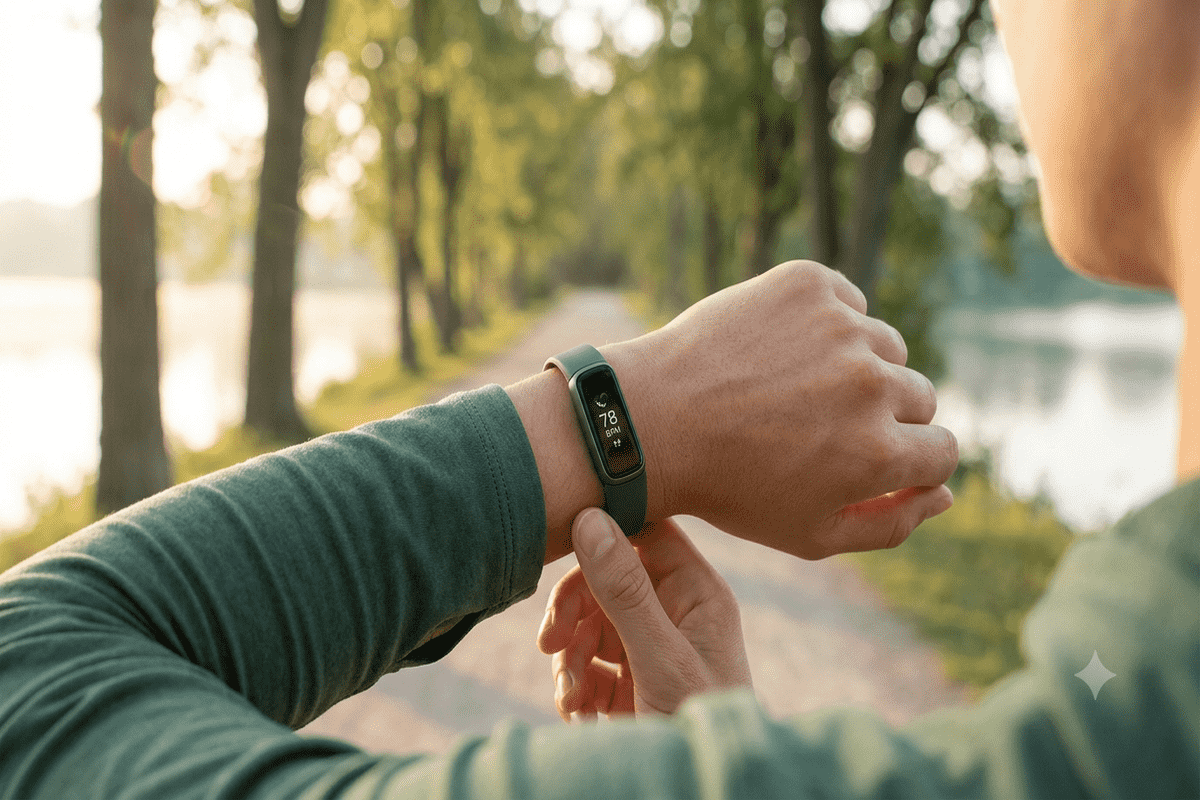
Constantly checking vibrant smartwatches causes severe digital fatigue, yet going fully screenless leaves you blind during workouts. If you want to track fitness without smartphone distraction, completely screenless bands like WHOOP force total reliance on your phone just to view simple metrics. In this Fitbit Edge review, we reveal how a subtle display gives you instant feedback while keeping digital noise at bay.
The Fitbit Edge offers a refined middle ground for health tracking. You get real-time metrics right on your wrist without intrusive apps or wrist-buzzing social media feeds. In this post, we will examine its minimalist design, core health metrics, battery performance, and how it stacks up against bright smartwatches and display-free bands.
Table of Contents
Why Going Completely Screenless Isn’t for Everyone
Screenless wearables gained massive popularity among minimalist athletes who want a total digital detox. However, removing the display entirely introduces everyday friction. When you are in the middle of a run or a cycling session, taking your smartphone out of a pocket or arm strap just to check your heart rate or pacing breaks your momentum.
A Pew Research Center study on digital fatigue reveals that over half of modern tech users seek ways to limit screen time without losing access to essential personal data. This exact tension created a demand for hybrid wearables.
While screenless trackers work well for background recovery monitoring, active training requires live feedback. A Fitbit Edge screenless alternative bridges this gap by offering glanceable fitness metrics on a small, unobtrusive screen. You get immediate visibility for your heart rate zone, step count, and active zone minutes without receiving disruptive phone calls or chat notifications.
Fitbit Edge Features: Designed for Mindful Movement
The standout appeal of the Fitbit Edge lies in its purposeful design. Fitbit intentionally stripped away complex smart features to build one of the premier minimalist fitness trackers.
Here is a breakdown of key hardware and software capabilities:
- Discreet OLED Micro-Display: A low-powered, monochrome panel displaying essential stats like heart rate, time, elapsed workout duration, and daily movement goals.
- Heads-Up Notification Band: Displays subtle vibration cues for incoming calls or timers without showing lengthy text messages or app previews.
- Advanced Health Metrics: Continuous 24/7 heart rate tracking, SpO2 blood oxygen monitoring, skin temperature variations, and detailed sleep stage tracking.
- Long Battery Life: Delivers up to 7 days of continuous tracking on a single charge due to low screen power draw.
By focusing on essential data, the Edge acts as a true minimal display health tracker. It helps you stay focused on your physical form and breathing rather than reacting to constant wrist pings.
Is Fitbit Edge the Middle Ground Between WHOOP and Apple Watch?
When shopping for fitness wearables, you generally face two extremes: full-featured smartwatches like the Apple Watch or screenless bands like WHOOP. Finding the right screenless vs screen fitness tracker depends on how much interaction you want on your wrist.
| Feature | Screenless Bands (e.g., WHOOP) | Fitbit Edge | Smartwatches (e.g., Apple Watch) |
| Display | None | Low-Power Micro Display | Full-Color OLED / AMOLED |
| Live Stats | Phone required | Instant wrist glance | Instant wrist glance |
| Distractions | Minimal | Very Low | High (Apps, Calls, Texts) |
| Battery Life | 4–5 Days | 7 Days | 1–2 Days |
| Focus Area | Recovery & Strain | Balanced Daily Fitness | All-in-One Connectivity |
As shown above, the Fitbit Edge sits squarely in the middle. It serves as one of the best WHOOP alternatives with small screen functionality. You avoid the battery drain and distraction of a full smartwatch while retaining live visual stats.
How to Track Workouts Without Digital Distractions
Achieving digital balance during exercise requires setting intentional boundaries with your devices. Utilizing low-distraction fitness wearables allows you to stay present during workouts while capturing accurate health data.
1. Enable Silent Workout Modes
Configure your tracker to hide non-essential cues. Set your device to display only heart rate zones and timers, hiding all incoming notification alerts while exercising.
2. Rely on Subtle Haptic Cues
Use haptic vibration feedback for distance miles or lap intervals rather than looking down at a screen every few minutes.
3. Review Detailed Data Later
Let the band quietly collect biometric data throughout the day, then analyze your health metrics inside the app after your workout is complete.
For more tips on choosing minimalist wearables and setting up distraction-free routines, explore our comprehensive guide on how to choose the best minimalist smartwatch for daily balance.
Minimalist Fitness Tracking with Minimal Notifications
The true strength of the Fitbit Edge is its focus on wearables for mindful movement. Traditional smartwatches constantly demand your attention with social media alerts, emails, and news feeds. This constant pinging causes screen fatigue and disrupts your daily workflow.
Using discrete smartwatch alternatives helps reduce screen time without sacrificing health visibility. The Edge provides quiet monitoring in the background. It delivers relevant health data when you lift your wrist, keeping you connected to your physical health without tethering you to digital noise.
The Best Hybrid Fitness Band for Digital Balance
For users seeking digital detox fitness trackers, the Fitbit Edge offers a practical balance. It delivers exact tracking, long battery performance, and an easy-to-read layout.
Pros:
- Clean micro-display shows core stats at a glance.
- Excellent 7-day battery life.
- Zero app distraction or wrist clutter.
- Lightweight, comfortable build for sleep tracking.
Cons:
- No color screen or rich media display.
- Cannot reply to text messages or take calls.
- Minimal native third-party app support.
If you want a fitness tracker without screen fatigue, the Edge strikes the ideal middle ground between screenless bands and noisy smartwatches.
Conclusion
The Fitbit Edge proves that you do not have to choose between total screenlessness and constant digital interruptions. By combining a subtle micro-display with comprehensive health tracking, it offers the ultimate hybrid experience for mindful living.
If you are ready to streamline your daily routine without losing key workout stats, read our complete Fitbit Edge review to see how it fits into your health setup.
Frequently Asked Questions
Frequently Asked Questions
Does the Fitbit Edge display smartphone notifications?
The Fitbit Edge offers basic haptic vibration alerts for incoming calls and timers. It intentionally omits full text message previews and social media notifications to eliminate daily digital distractions.
How long does the battery last on the Fitbit Edge?
Thanks to its low-power monochrome micro-display, the Fitbit Edge lasts up to 7 days on a single charge under standard daily fitness tracking and sleep monitoring conditions.
Can I view my live heart rate during workouts without my phone?
Yes, the subtle micro-display shows real-time heart rate, workout duration, and active zone minutes directly on your wrist without requiring a connected smartphone.
Is the Fitbit Edge waterproof for swimming tracking?
The Fitbit Edge features 50-meter water resistance, making it suitable for swimming, shower use, and outdoor workouts in wet weather conditions.
Get real time update about this category directly on your device, subscribe now.
Have any thoughts?
Share your reaction or leave a quick response — we’d love to hear what you think!
-
 0
0 - 0
- 0
- 0
- 0
- 0