Barsha Chowdhury
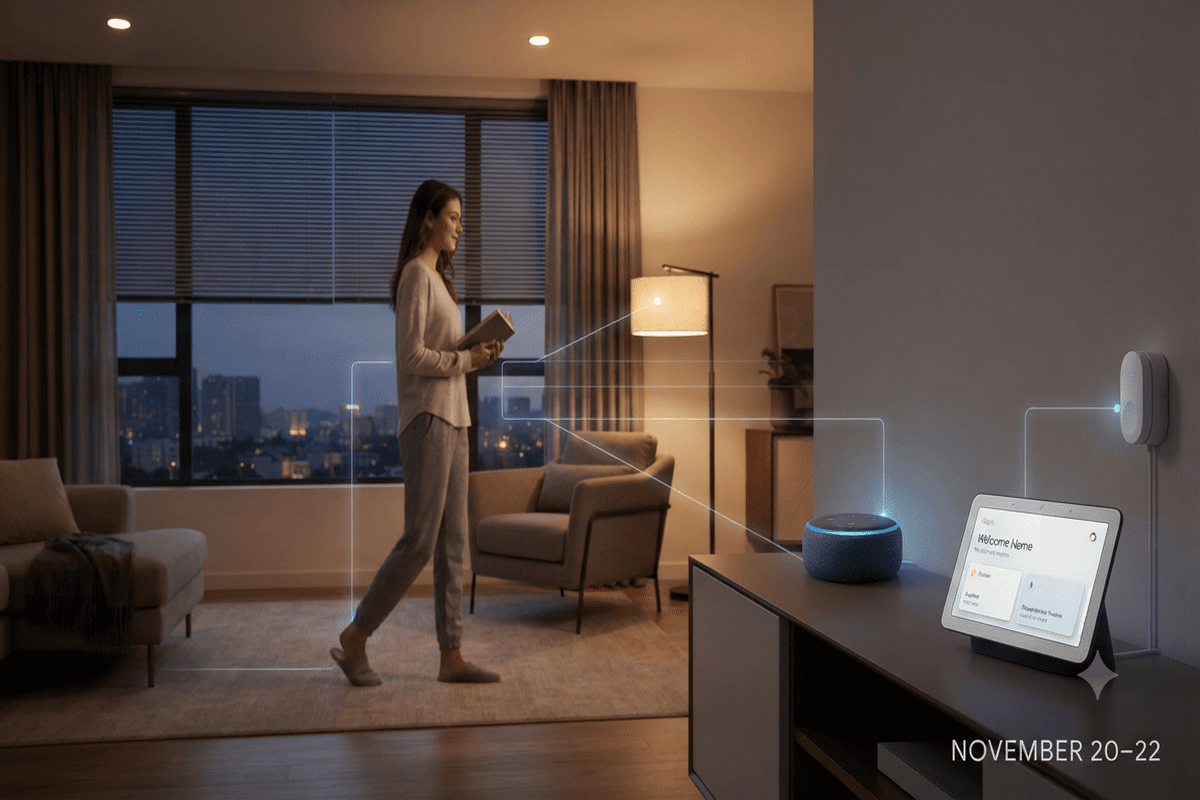
Tired of repeating wake words just to turn off a lamp or adjust your thermostat when your hands are full? Finding home assistants that respond to your daily activities removes that friction, letting your space adapt automatically to your movements and routines.
By upgrading to context-aware hubs, you can transform a passive house into an intuitive environment that anticipates what you need before you say a word. This weekend, November 20–22, is the ideal window to test out AI-powered home assistants to try this weekend without needing a complicated rewiring project. Below, we break down three standout AI home assistants that sense presence, read context, and trigger real-time routines—along with practical setup tips and honest pros and cons to help you pick the right fit.
Table of Contents
Why Proactive Home Automation Is Replacing Voice Commands
For years, voice speakers acted like glorified walkie-talkies: you barked a command, and a single bulb flickered on. Today, smart home technology that reacts to your actions relies on millimeter-wave radar, ambient temperature sensors, and multimodal AI to understand context rather than just audio triggers.
According to industry analysis from Fortune Business Insights, the global smart home market reached $180.12 billion in 2026, fueled largely by wireless, sensor-driven smart home automation that prioritizes effortless convenience and energy savings. Instead of memorizing rigid phrasing, modern interactive AI home assistants in 2026 observe when you enter a room, sit at your desk, or head to bed, adjusting your environment silently in the background.
3 Reactive Home Assistants to Set Up This Weekend
If you want to experience responsive home technology firsthand over the next three days, these three ecosystems offer the easiest plug-and-play setup with maximum behavioral intelligence.
1. Amazon Echo Dot Max & Echo Studio (with Omnisense)
Amazon’s latest Echo lineup integrates Omnisense—a sensor fusion array combining ultrasonic motion, presence detection, and ambient temperature tracking. Rather than waiting for you to speak, these smart home assistants trigger multi-step routines the moment you walk into the kitchen or leave your home office.
- Actionable Weekend Setup: Place an Echo Dot Max near your main entryway and configure an “Arrival & Departure” routine in the Alexa app. Set it to gradually brighten hallway lights when you step inside after sunset, and automatically lower your smart thermostat ten minutes after the room goes empty.
- Pros:
- Built-in Zigbee, Thread, and Matter border router eliminates the need for extra hubs.
- Accurate occupancy detection avoids false triggers from ceiling fans or pets.
- Affordable entry point for testing intelligent home devices for everyday tasks.
- Cons
- Accurate occupancy detection avoids false triggers from ceiling fans or pets.
- Deepest proactive suggestions work best if you already use Amazon’s broader retail and media ecosystem
- Fine-tuning sensitivity thresholds takes 10–15 minutes of initial calibration.
2. Google Nest Hub & Speakers Powered by Gemini for HomeGoogle
replaced legacy voice commands with Gemini for Home across its smart displays, speakers, and Nest cameras, creating interactive home assistants capable of genuine contextual reasoning. Paired with Nest camera intelligence, the system doesn’t just detect motionit understands what is happening, such as a package arriving or your dog barking near the back door.
- Actionable Weekend Setup: Enable Gemini-powered event descriptions in your Google Home app and link your living room display to your smart blinds and lighting. Create a “Movie Night” trigger that dims the lights and silences phone notifications automatically whenever your TV turns on after 8:00 PM.
Pros:
- Natural conversational follow-ups require zero rigid phrasing.
- Camera-aware intelligence summarizes activity and triggers targeted alerts.
- Seamless integration with Google Calendar and daily commute updates
Cons:
- Advanced camera video history and AI summaries require a paid subscription tier.
- Older third-party speakers may receive staggered feature rollouts.
3. Aqara Smart Home Hub M3 with Presence Sensors
For privacy-conscious users who want ultra-fast local execution, Aqara pairs its Matter-enabled Hub M3 with dedicated mmWave presence sensors (like the FP2). These AI-powered home devices detect micro-movements—even breathing while you read on the couch—so your lights never shut off mid-chapter.
- Actionable Weekend Setup:Mount a presence sensor in your primary living area and divide the room into custom “zones” (e.g., desk zone, sofa zone, walkway). Program your desk lamp to turn on only when you sit in your office chair, while keeping the rest of the room dim. For more ideas on pairing sensors with lighting, check out our complete guide to automated room zoning.
Pros
- Local edge processing keeps behavioral data inside your home network and works during internet outages.
- Zone-based tracking lets one sensor control multiple areas independently.
- Cross-platform compatibility with Apple Home, Google Home, and Alexa.
Cons:
- Requires a dedicated sensor purchase alongside the hub for full room-mapping capabilities.
- Initial zone mapping in the app has a slight learning curve for beginners
3 Pro Tips for Configuring Reactive Routines Without Annoyance
When deploying smart home gadgets to try this weekend, subtle calibration separates a magical home from an irritating one. Keep these three rules in mind:
- Add a “Cool-Down” Buffer: Always set a 5-to-10-minute delay before turning off lights or HVAC systems after a room empties. Stepping out to grab a glass of water shouldn’t plunge your workspace into darkness.
- Restrict Triggers by Time of Day: Ensure hallway and bathroom sensors shift to a warm, 10% dim brightness between 11:00 PM and 6:00 AM so midnight trips don’t blind you.
- Prioritize Local & Encrypted Devices: As connected sensors multiply, security matters. Look for home automation technology aligned with recognized IoT cybersecurity standards—such as the NIST Cybersecurity for IoT Program—and choose intelligent home devices that process occupancy data locally whenever possible.
Wrapping Up Your Weekend Smart Home Upgrade
Shifting from voice-activated speakers to AI assistants for everyday life takes less than an afternoon, yet the payoff shows up every time you walk through a room hands-free. Whether you choose Amazon’s sensor-packed Echo lineup, Google’s context-aware Gemini displays, or Aqara’s precision radar zones, starting with just one high-traffic room will immediately show you what proactive living feels like.
Ready to put home assistants that respond to your daily activities to the test between November 20 and 22? Pick one routine like automated entryway lighting or desk-zone focus mode set it up this Friday evening, and share in the comments which hands-free trigger saved you the most hassle this weekend!
Frequently Asked Questions
How do reactive home assistants know when I enter or leave a room?
Modern assistants combine millimeter-wave radar, ultrasonic sensors, and ambient light or temperature tracking to detect subtle human presence rather than just large movements. To prevent false shutoffs while you sit still, set a 5-to-10-minute exit delay in your routine settings.
Will smart home sensors accidentally trigger because of my pets?
Most current presence and ultrasonic sensors let you adjust height angles and sensitivity thresholds to ignore floor-level movement from cats or small dogs. Mounting your sensor at chest height and angling it slightly upward resolves almost all pet-related false triggers.
Do proactive AI home devices work if my internet connection drops?
Hubs that support Matter over Thread or local edge processing such as the Aqara Hub M3 and newer Echo speakers continue running basic motion and lighting routines offline. However, cloud-dependent features like natural-language summaries and remote phone alerts require an active connection.
How can I protect my privacy when using sensor-based home assistants?
Choose devices that process occupancy radar locally on the hub rather than streaming continuous audio or video to the cloud. You should also enable two-factor authentication on your smart home app, use physical camera shutters in private rooms, and regularly clear voice history logs.
Get real time update about this category directly on your device, subscribe now.
Have any thoughts?
Share your reaction or leave a quick response — we’d love to hear what you think!
-
 0
- 0
- 0
- 0
- 0
- 0