Sakshi Dhingra
 Pradip S.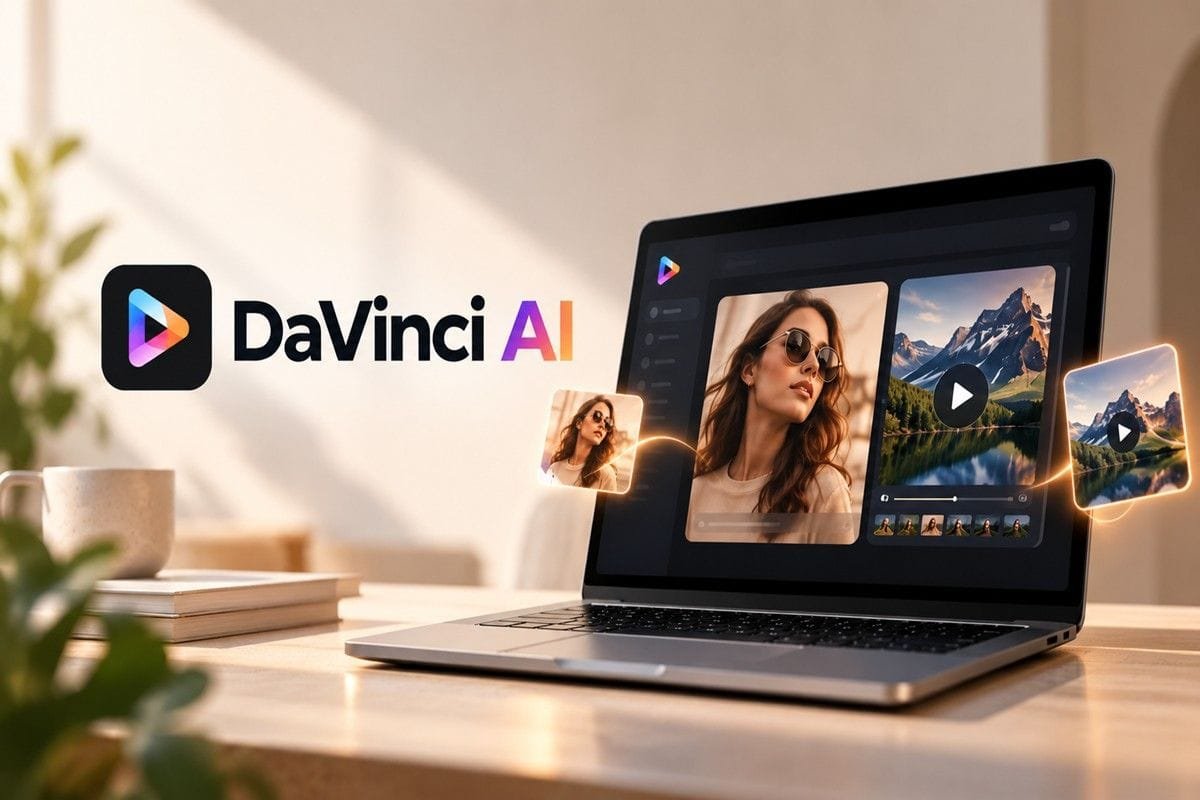
Table of Contents
My verdict at a glance
| Overall score | 7.0 / 10 (about 3.5 out of 5 stars ★★★☆☆, rounded to ★★★½) |
| What it is | DaVinci AI is a single platform that bundles multiple premium AI image and video models, running Nano Banana 2 for stills and Seedance 2.0 Fast for video during my test. |
| Best for | Solo creators, marketers and small brands who want image and video creative in one place and are willing to pay to unlock the full suite. |
| Not great for | Anyone hoping to make videos for free, people on a tight budget who create occasionally, or those who dislike aggressive trial-to-subscription pricing. |
| Real price | 1.99 dollars for a 7 day trial, then 29.99 dollars per month automatically. Quarterly works out to 19.99 dollars per month. Video needs a paid plan. |
| My one-line take | Excellent image output and a smart all-in-one idea, but video is completely locked behind the paywall and the marketing pushes harder than it needs to. |
I review AI tools for a living, so when a landing page tells me it holds all my visual creation in one place and that more than a hundred million creators already trust it, my first reaction is not excitement. It is suspicion.
Big round numbers usually mean the product is doing the talking before the output has earned it. So I did what I always do. I signed up, threw a real brief at it and watched what actually happened.
This is my full, hands-on review of DaVinci AI, based on a live test I ran on 25 September 2026. I used it the way a real small business owner would, not the way a slick demo video wants you to. My brief was simple and genuine. I wanted promotional creative for an eyewear brand, a still image and a short vertical video ad, both built around a Flat 10 percent Off offer. The image side impressed me. The video side stopped me at a paywall before I could generate a single frame. Here is the full story.
First impressions: a big promise on the front door
The DaVinci AI landing page gets straight to the point. All Your Visual Creation. One Platform. Underneath it says you get access to the world’s best AI models for images and video, and that it is trusted by more than a hundred million creators worldwide. Then a single blue button, Start Free Now.

The DaVinci AI landing hero and the 100M+ creators claim that greets you first.
I will be honest about my gut feeling here.
The hundred million creators line did not reassure me, it did the opposite. It is the kind of claim that is almost impossible for a visitor to verify, and when a tool leads with a number that big before it has shown me a single result, I go in expecting the marketing to be a step ahead of the product.
That said, the page is clean, fast and modern, and Start Free Now is exactly the kind of low friction call to action that gets people through the door. So in I went.
Signing up: quick, but the word free is doing some heavy lifting
The sign up screen is refreshingly simple. Continue with Google, Apple, Microsoft or email, with a reassuring little line that your data is safe, secure and fully private. I used Google and I was in within seconds, which is exactly how onboarding should feel.

The DaVinci AI sign up wall. One tap with Google and you are through in seconds.
Two small things caught my eye.
First, tucked into the terms line is a note that by continuing you also agree to receive product updates and promotions, so you are opted into marketing by default.
Second, the tagline promises you will start creating AI images and videos in seconds. That part turned out to be only half true, because as you will see, images were open to me but video was not.
The paywall: DaVinci AI pushes Pro hard, and early
Almost immediately, up came the Unlock all models with Pro screen. Full access to premium models, image generation and video generation. And this is where my reviewer instincts started firing on every cylinder.

The Pro upsell, complete with a samurai, a Trial for you graphic and a live urgency counter.
Look at everything happening on this one screen. There is a dramatic samurai image with Trial for you painted across the armour. There is a green badge shouting that 6,086 people have used this offer today.
There are two plans, with the 7 Day Full Access at 1.99 dollars pre-selected for you, sitting next to a Quarterly plan flagged as save up to 33 percent. Then the fine print, which is the part that actually matters. You get a 7 day trial for 1.99 dollars, and after the trial you will be charged 29.99 dollars per month unless you cancel through your account settings.
None of this is illegal or even unusual, but stacked together it is a textbook high pressure funnel. The tiny 1.99 dollar number is what your eye lands on. The 29.99 dollar number is the one your card will actually feel. The live counter and the save up to 33 percent tag exist to make you decide fast rather than think.
I have seen this pattern on dozens of apps, and it always tells me the same thing. The company is very good at conversion. Whether the product backs it up is a separate question, and the only way to answer that is to close the popup and actually make something. So that is what I did.
Testing the image side: Nano Banana 2 vs a real ad brief
Here is where DaVinci AI started to win me back. The create screen asks a friendly question, What do you want to create today, with a big prompt box and a model selector set to Nano Banana 2. I fed it a detailed, real world brief rather than a lazy one liner, because that is how you actually test an image model.

The DaVinci AI prompt box running Nano Banana 2, with a proper detailed brief rather than a one liner.
My prompt asked for a high resolution, professional commercial photograph of a modern, well lit optical store interior, with a smiling customer trying on designer eyeglasses in front of a mirror, a friendly optician assisting, and bright wall displays of frames in the background. In other words, a real advertising scene, not a fantasy dragon. I set it to a single image and hit Generate.

The result from Nano Banana 2: a clean, believable optical store scene with a Flat 10 percent Off banner.
And honestly, the result impressed me. The scene reads as a genuine eyewear store. The lighting is soft and commercial, the two people look natural and relaxed, the shelves of frames in the background sell the setting, and the Flat 10 percent Off banner sits right where a real promo would put it.
If I squinted, I could believe this came off a stock photography site. This is the kind of image a small optical brand could realistically use on a social post or a shop poster with only light touching up.
It is not flawless, and I would be a poor reviewer if I pretended otherwise. The small print on the offer banner is a little soft and would not survive close inspection, and a couple of the fine background details have that faintly too smooth AI finish if you really study them. But for the speed and effort involved, this is a strong, usable result. On image generation, DaVinci AI genuinely delivered.
Testing the video side: this is where DaVinci AI stopped me cold
Riding the high from that image, I moved over to video, and on the surface the studio looks the part. Along the top you get Create Video, Edit Video, Extend Video and Motion Control, plus a Your creations area. On the left there are Start Image and End Image slots and an Add References option, which is exactly the kind of control that separates a toy from a tool. The model on video duty was Seedance 2.0 Fast, with a default output of 4 seconds at 480p.

The DaVinci AI video studio running Seedance 2.0 Fast, with start and end frames, references and motion control.
I wrote a matching brief for a fast paced, vertical commercial for the same eyewear brand. Close up shots of hands picking frames off minimalist shelves, quick cuts of different styles being worn with confident smiles, a smooth rack focus, and a bold banner reading Flat 10 percent Off on all frames and sunglasses. I set the model, I checked the prompt, and I hit Generate, fully expecting to be watching a short clip render a few seconds later.
That clip never came. Instead of a video, DaVinci AI threw the Pro upgrade wall straight back in my face. Video generation is not part of the free experience. To create even a single four second clip, you have to upgrade to a paid plan first. There was no free preview, no watermarked sample, no limited trial render, just a hard stop and a payment screen.
The moment of truth: hitting Generate on the video sent me straight to the Pro upgrade screen, not a rendered clip.
So let me be completely straight with you, because this is the single most important thing in this review. I could not test the video quality of DaVinci AI at all. Not because it failed or crashed, but because the platform simply will not let you generate a video without paying.
Everything you see about the video studio in this article is about the interface and the toolkit, which look promising, and nothing about the actual output, which I never got to see. If video is the reason you are looking at DaVinci AI, understand that you will be paying before you find out whether it is any good.
My DaVinci AI scorecard
Here is how I rate DaVinci AI across the things that actually matter, based on this hands-on test. Scores are out of 10.
| Category | Score | Why I scored it this way |
| Onboarding and ease of use | 8.0 / 10 | Sign up with Google took seconds and the workspace is genuinely clean. I lost a point because the Pro upsell greets you almost before you can look around. |
| Image quality (Nano Banana 2) | 8.5 / 10 | The eyewear store image came back sharp, well lit and close to commercial grade. Small text on the banner and a few fine details still gave it away as AI. |
| Video (Seedance 2.0 Fast) | 6.5 / 10 | The studio looks capable, with Create, Edit, Extend, Motion Control, start and end frames and references. But I could not generate a single clip on the free plan, so I am scoring the locked door, not the output. |
| Model range and variety | 9.0 / 10 | Nano Banana 2 for stills and Seedance 2.0 for video under one login is the strongest thing on offer here. You are not juggling five subscriptions. |
| Speed and performance | 7.5 / 10 | The image landed quickly and the interface never lagged for me. This score is based on the image side, since video was blocked before I could test it. |
| Pricing and value | 5.5 / 10 | A 1.99 dollar trial that quietly becomes 29.99 dollars a month is steep, and with video fully paywalled the free tier gives you only half the product. |
| Transparency and trust | 5.0 / 10 | The 100M plus claim, the 6,086 people used this offer today counter and the auto rollover pricing all lean on pressure rather than proof. This is where I trusted it least. |
| Overall | 7.0 / 10 | Excellent stills and a smart all-in-one idea, dragged down by fully paywalled video and marketing that pushes harder than it should. |
Pros and cons after living with it
| What I liked | What frustrated me |
| Image output from Nano Banana 2 was clean and close to ad ready One login for both image and video models, no juggling subscriptions Fast, uncluttered interface that never lagged for me Serious video controls on paper: start and end frames, references, motion control Sign up with Google took only a few seconds | Video is completely locked, I could not generate a single clip for free The Pro upsell appears almost before you can look around 1.99 dollar trial rolls into 29.99 dollars a month automatically Urgency tactics like the used this offer today counter feel manufactured You are opted into promotional emails by default at sign up |
DaVinci AI pricing
The pricing is the single most important thing to understand before you tap that button, especially since video is behind it. Let me lay it out without the marketing gloss.
| Plan | Price | The fine print that matters |
| 7-Day Full Access (trial) | 1.99 dollars once | The headline offer. It unlocks everything, including video, for a week, then rolls straight into 29.99 dollars per month unless you cancel in account settings before day seven. |
| Monthly (post-trial) | 29.99 dollars / month | What you actually pay from week two onward on the trial path. This is the real price of the product, not the 1.99 dollars on the door. |
| Quarterly | 19.99 dollars / month, billed quarterly | Marketed as save up to 33 percent. Cheaper per month if you are certain you will stay, but you commit three months up front. |
My honest advice on the money: if you want to try DaVinci AI, and especially if you want the video, treat the 1.99 dollar week as exactly that, a one week rental. Set a phone reminder for day six to decide whether to keep it, because the 29.99 dollar monthly charge will arrive quietly if you forget. The quarterly plan is only cheaper if you already know you will be creating visuals week in, week out.
Who should use it, and who should walk away
Give DaVinci AI a go if you are
- A marketer or small brand owner who needs a batch of image and video creative and is fine paying to unlock it
- Someone who would rather pay one tool than stitch together three separate AI subscriptions
- A creator happy to run a focused one week sprint on the trial and then decide
Think twice if you are
- Hoping to make videos for free, because on DaVinci AI you simply cannot without upgrading
- On a tight budget and only create visuals now and then, in which case 29.99 dollars a month is poor value
- Put off by countdown-style urgency and automatic subscription rollovers, which are baked into the experience here
My final verdict on DaVinci AI
So, is DaVinci AI worth it? After putting it through a real eyewear ad brief, my answer is a qualified yes for images and a firm wait and see for video.
The image side is legitimately good. What I generated with Nano Banana 2 was clean, believable and close to something a real business could publish, and the all in one idea, one login for top image and video models, is genuinely convenient. If DaVinci AI were only an image tool, I would recommend the trial without much hesitation.
The problem is that the thing many people come here for, video, is completely gated. I set up a proper Seedance 2.0 brief, hit Generate, and got a payment screen instead of a clip. That is a legitimate business model, but it means the free experience cannot show you the one capability that might justify 29.99 dollars a month. Add the hundred million creators claim, the live offer counter, and the 1.99 dollars that quietly becomes 29.99 dollars, and I trusted the marketing less than the output. A tool with image results this good does not need to lean this hard on pressure.
Final score: 7.0 / 10 (★★★½ out of 5). Great for images, frustrating on video, and best treated as a one week rental you cancel deliberately rather than a subscription you drift into.
Frequently asked questions
Is DaVinci AI free to use?
Only partly. You can sign up for free and I was able to generate an image, but the moment I tried to make a video it demanded a Pro upgrade. So the Start Free Now button gets you in the door and lets you test images, but the full suite, video especially, is not free.
Can you generate videos on DaVinci AI for free?
No, not in my test. I set up a full video brief with Seedance 2.0 Fast, hit Generate, and instead of a video I got the Pro paywall. Video generation is locked behind a paid plan, so you cannot produce even a short clip without upgrading first.
How much does DaVinci AI cost after the trial?
The 1.99 dollar offer is a 7 day trial only. After that it renews at 29.99 dollars per month automatically unless you cancel. There is also a quarterly plan at 19.99 dollars per month billed every three months.
What AI models does DaVinci AI use?
During my test it ran Nano Banana 2 for image generation and Seedance 2.0 Fast for video. The pitch is that it bundles several top image and video models in one place so you do not need separate subscriptions.
Get real time update about this category directly on your device, subscribe now.