Table of Contents
I put Use.ai (also written as UseAI) through a normal first session, the way anyone curious about a new AI assistant would. What I found is easy to state and worth understanding before you hand over a card. The service answers your very first question for free, and answers it reasonably well. After that single demo, almost everything else is locked behind a paid plan, and that plan renews automatically at a price far higher than the trial figure that gets you in the door. This is my hands-on account, step by step.
| How I tested this– I created a fresh account and used Use.ai as a first-time visitor, sending ordinary questions and trying the image and upload options.Every claim below is tied either to a screen I saw inside the app or to public reviews I read. Where I could not verify something from the outside, such as which model truly powers an answer, I say so plainly. |
What Use.ai claims to be
Use.ai presents itself as a single front door to several well known AI models. The upgrade screen advertises access to Claude, ChatGPT, DeepSeek, and Gemini, listing various versions of each, alongside image generation, web search, document analysis, projects, and an AI search engine.
The pitch, in short, is one subscription for every major model. I cannot verify from the outside which model actually runs behind any given answer, so I treat that list as a marketing claim rather than a confirmed fact. What I can verify is the experience of using it, which is what the rest of this review covers.
First impressions, then a login wall

The opening screen is clean and familiar. A single message box sits under a friendly How can I help you heading, with quick action chips for writing, learning, image analysis, and data. It looks like any modern assistant. The moment you try to do anything, a sign-up panel appears.
Login is required before the first message will go through, and the panel makes a point of saying you can generate images and upload files once you are in. Nothing unusual so far, plenty of tools ask you to sign in. I created an account and moved on.

The one free answer, and credit where it is due
My first real question was a plain one about time management. Use.ai answered it properly.

The reply was structured and genuinely useful, opening with the idea that time management is less about doing more and more about deciding what matters, then breaking the day into time, energy, and attention.
If the whole product worked like this, it would be easy to recommend. This matters for fairness: the single free answer is not a teaser of nonsense, it is a complete, helpful reply. That first taste is good, which is exactly what makes the next step land harder.
Where the wall appears
Encouraged by that first answer, I asked a second question, this time about negotiation skills for business deals. Instead of an answer, I got the message you can see in the image below.

The second question, blocked. After one free answer, further requests return an upgrade prompt instead of a reply.
The exact words were: I would love to answer this, please upgrade to Pro to access premium AI models, image generation, file analysis, and much more, followed by a blue Upgrade button.
I tried a different request, asking it to create an image.

Same response, same button. This is the core of how the free tier works, and it is the single most important thing to understand about Use.ai.
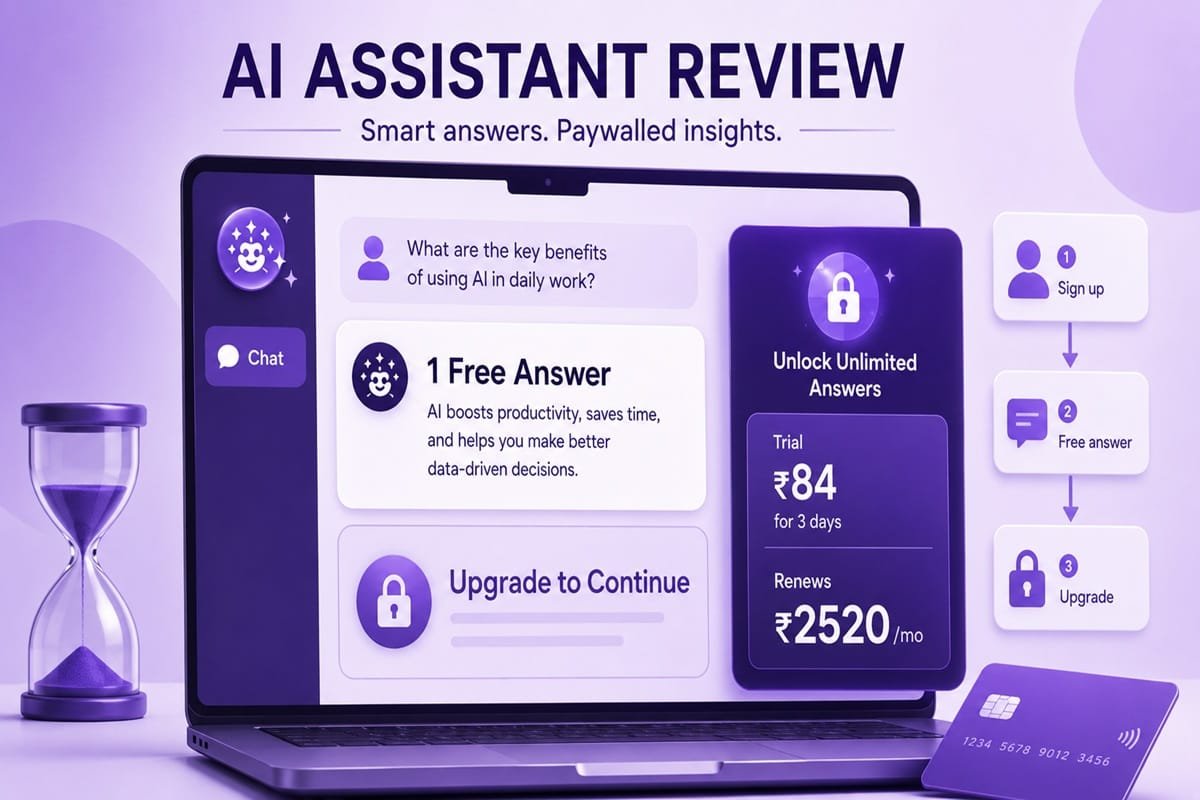
It provides just one free demo answer, and then every further action requires a paid plan. The first reply is free. The second reply is a sales pitch.
What is actually free, and what is locked
To make the line clear, here is what the free tier gives you against what sits behind Pro, as you can see in the image below. The free column is short on purpose, because in practice it ends after a single answer.

Free versus Pro. In practice the free column ends after a single answer.
Image generation, document and PDF analysis, web search, projects, knowledge bases, deep research, and continued conversation all sit on the paid side. The upload menu teases every one of these, the deep research option, the create an image option, file uploads, collections, and projects, but selecting any of them after your free answer routes you straight back to the same upgrade prompt.
The pricing, and the part that surprised people
Here is where I would slow down and read carefully before paying. The upgrade screen leads with a seven-day full access offer for a very small amount, Rs 84.06 (INR) in the version I was shown. That low number is what most people will see and act on. Underneath, in smaller text, the screen states that after the trial it will charge Rs 2,520.84 (INR) every month until you cancel. As you can see in the image below, the gap between the trial price and the renewing price is large, roughly thirty times.
The two longer plans, quarterly and six months, work out to Rs 1,401.21 and Rs 1,260.00 per month, each carrying a save badge. None of this is hidden exactly, the renewal terms are written on the screen. The issue is emphasis. The figure shown in large, bold, colored type is the trial price. The figure that will actually hit your account month after month is in plain grey text below it. That design choice is legal, and it is also the kind of choice that reliably produces surprised customers.
What other users report
I am not the only person to notice the billing. The pattern shows up clearly in public reviews, and it is worth reading both sides, as you can see in the image below.

Both sides of the public reviews. The five-star example carries an Invited tag.
One recent one-star review describes being charged about 30 USD in a single month. The reviewer explains that they believed two small trial payments of 0.50 USD each had covered the full seven-day period, so they did not cancel in time. The unexpected 29.99 USD charge, they wrote, caused real stress, and they cancelled at once and contacted their bank to block further payments. Notice that this is the same trial-then-renew structure I saw, only in dollars rather than rupees, and the step up is again close to thirty times the trial figure.
There are positive reviews too, and I want to represent them fairly.

One five-star review simply says excellent easy and was posted the same day, with a warm templated reply from the Use.ai team. The detail worth knowing is the small Invited label on it, which means the company prompted the customer to leave the review. Invited reviews are common and not wrong in themselves, but they tend to lift an average upward, so a high star rating built partly on invited five-star reviews deserves a second look beside organic one-star complaints about billing.
The full journey, start to finish
Putting it together, the path from a free answer to a recurring charge is short and well designed, as you can see in the image below.

Six smooth steps from a free answer to a monthly charge.
You arrive at a clean chat box, you are made to sign up, you get one good answer, your second request is blocked, you are offered a cheap trial, and the trial quietly converts into a monthly bill many times its size. Every step is smooth. That smoothness is the point.
Where it falls short
A few things stand out as genuine weaknesses. First, the free experience is essentially a single answer, which is thin even by free-tier standards, and the app does not make that limit obvious before you sign up.
Second, the pricing presentation pushes the trial figure forward and the renewal figure back, which predictably leads to the surprise charges reviewers describe.
Third, the product is a wrapper. Its value rests entirely on routing you to models like Claude, ChatGPT, DeepSeek, and Gemini, each of which offers its own free tier and its own direct subscription, so you are paying a middle layer for access you can often arrange yourself. Fourth, the reliance on invited reviews makes the public rating harder to trust at face value.
What works
In fairness, the interface is clean and approachable, the one free answer I received was high quality, and the trial price genuinely is low if you treat it as a one-week experiment and cancel before it renews.
For someone who wants a single tidy interface and is disciplined about cancelling trials, it is not useless. The trouble is that the design seems built around the people who will not cancel in time.
My verdict
I cannot recommend paying for Use.ai as it is presented. The one free answer is good, and that is precisely the trap: it earns just enough trust to push you toward a trial whose real cost sits in the quietest part of the screen.
If you still want to try it, treat the trial as exactly seven days, set a reminder to cancel a day early, and watch the renewal amount rather than the headline trial price. Better still, go directly to the underlying model providers, where the same capabilities are available, often free to start, with no middle layer renewing on your card. The single free demo is the most honest moment Use.ai offers. Everything after it is a payment screen.
Practical tips if you do sign up
- Read the small grey line under the trial price, not just the bold trial figure. That grey line is the amount you will actually pay each month.
- Set a calendar reminder to cancel at least one day before the seven-day trial ends.
- Check your card statement a day or two after any trial payment, so a renewal does not slip past unnoticed.
- Remember you can use Claude, ChatGPT, DeepSeek, and Gemini directly. Each has its own free tier and its own subscription, with no third party in between.
- If you are charged unexpectedly, cancel in the app first, then contact your card provider, which is exactly what the reviewer above did.
Get real time update about this category directly on your device, subscribe now.