Table of Contents
A practical guide to choosing tools that keep audio clean and make a weekly publishing routine sustainable.
Publishing a podcast every week is less an audio problem than a consistency problem. Any tool can clean up one episode. The hard part is doing it again next week, and the week after, while also recording, cutting clips, writing show notes, and promoting the thing, without the editing swallowing your evenings.
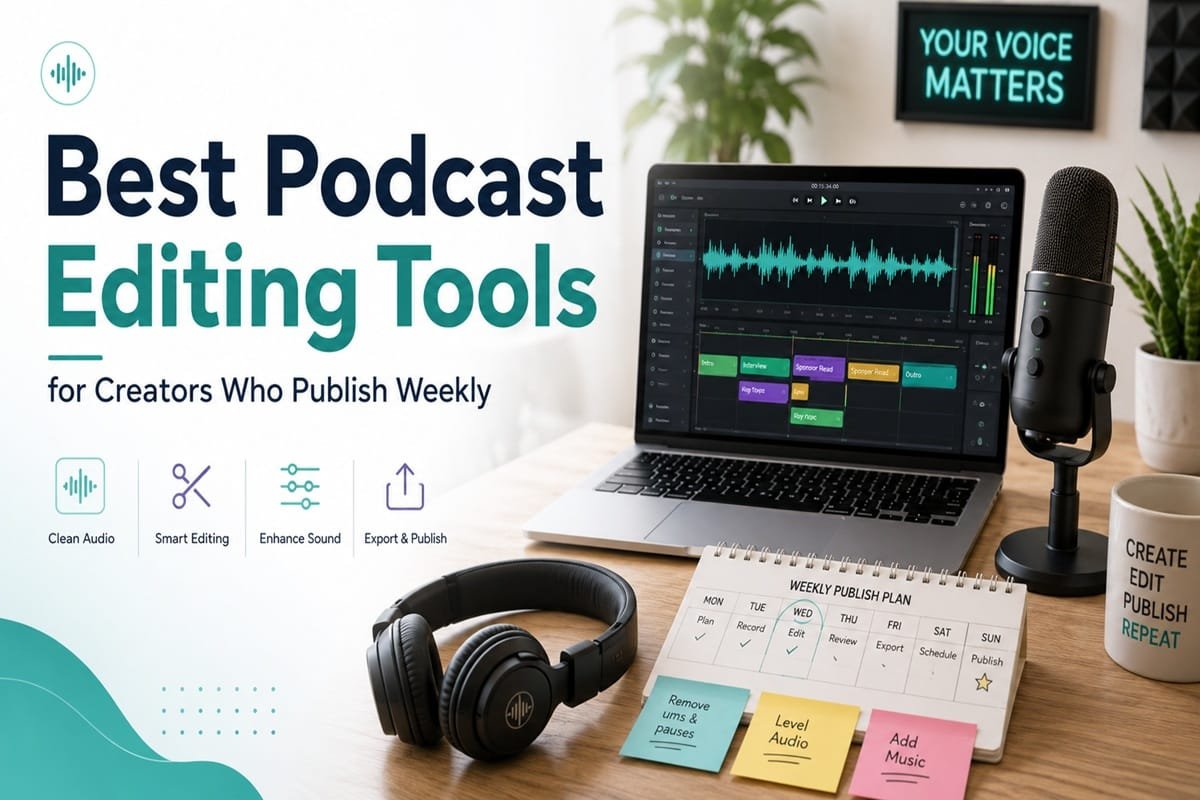
So the best podcast editing tool is not always the most advanced one. For weekly creators, the right tool saves time, keeps audio clean, cuts down repetitive editing, and fits the routine you can actually keep. This guide compares eight popular podcast editing tools through that lens: the weekly workflow, not a feature checklist. Each one comes with its strengths, its limits, and the kind of creator it suits.
About This Comparison
These assessments are based on each tool’s official information and documented features, the way creators and reviewers describe using them, and the realities of a weekly production schedule. Tools in this space change pricing and AI features constantly, so treat every number and feature below as something to confirm on the official site before you subscribe. Where pricing or limits were unclear or inconsistent across sources, this guide says so rather than guessing.
Fast Match Guide for Weekly Podcasters
Short on time? Match your main need to a starting point, then read the detailed section before you commit.
| Creator Need | Best Tool to Consider | Reason | Main Caution |
| Fast text-based editing | Descript | Edit audio by editing the transcript | AI credits and plan limits add up |
| AI audio cleanup | Adobe Podcast | One-click Enhance Speech, strong free tier | Light editing depth, can over-process |
| Remote interview recording | Riverside | Local tracks, video, browser guest join | Editing is lighter than dedicated editors |
| Beginner-friendly editing | Podcastle | Guided all-in-one with AI cleanup | Advanced audio control is limited |
| Free audio editing | Audacity | Powerful manual editing at no cost | Steeper, dated, mostly manual workflow |
| Mac-based podcast editing | GarageBand | Free on Apple devices for beginners | Apple only, no podcast-specific AI |
| Narrative-style production | Hindenburg Pro | Spoken-word focus with auto-leveling | Paid only, with a learning curve |
| Simple all-in-one workflow | Alitu | Records, cleans, builds, and publishes | Less control for hands-on editors |
Weekly Podcast Workflow Map
Before comparing tools, it helps to see the weekly job clearly. Each stage has a task, a feature that makes it faster, and a common bottleneck that eats time when the tool does not fit.
| Stage | Weekly Task | Tool Feature Needed | Common Bottleneck |
| Episode planning | Outline and prep the episode | Notes or script space | No outline, so recording rambles |
| Recording | Capture solo or interview audio | Clean multi-track recording | Bad room or mic setup |
| Audio cleanup | Remove noise and balance sound | Noise reduction, enhancement | Hiss, hum, and uneven levels |
| Removing mistakes | Cut retakes and dead air | Fast trimming or text editing | Slow timeline scrubbing |
| Cutting filler words | Remove ums, ahs, repeats | Filler-word removal | Manual hunting for every um |
| Adding intro and outro | Drop in your branded elements | Templates or saved segments | Rebuilding them every episode |
| Leveling audio | Set consistent loudness | Loudness normalization | Episodes vary in volume |
| Exporting final episode | Render the publish-ready file | Export presets and formats | Wrong loudness or file type |
| Creating clips | Pull short highlights | Clip or transcript tools | Manual repurposing eats hours |
| Writing show notes | Summaries and timestamps | Transcripts and summaries | Starting from a blank page |
| Publishing and archiving | Upload, schedule, back up | Hosting and export control | No backups, no system |
The same workflow as a single picture, with the bottleneck that slows most creators at each stage.
Podcast Editing Features That Actually Matter
Not every feature deserves equal weight for a weekly show. These are the ones that genuinely affect speed and quality, with the practical value of each and what you lose if it is missing.
| Feature | Practical Value | Best For | Risk if Missing |
| Noise reduction | Cleans up imperfect recordings | Home and remote setups | Distracting hiss and hum |
| Audio leveling | Consistent volume across speakers | Interviews, multi-mic shows | Listeners reaching for the dial |
| Transcription | Powers text editing and show notes | Spoken-word and accessibility | Slower notes and editing |
| Text-based editing | Edit by deleting words | Solo hosts who hate timelines | Hours lost scrubbing waveforms |
| Filler-word removal | Strips ums and ahs fast | Conversational shows | Tedious manual cleanup |
| Multi-track editing | Control each voice separately | Interviews and co-hosts | Messy, blended audio |
| Remote recording | Captures guests at quality | Interview podcasts | Poor guest audio over calls |
| Intro and outro templates | Reuse branded segments | Every weekly show | Rebuilding the same parts |
| Export presets | One-click publish-ready files | Consistent weekly output | Wrong format or loudness |
| Video podcast support | Records or exports video | YouTube and clip creators | No video version to post |
| Clip creation | Short highlights for social | Repurposing creators | Manual clip hunting |
| Collaboration | Shared editing and review | Teams and agencies | Version chaos and handoffs |
| Project organization | Find and reuse past work | High-volume creators | Lost files and rework |
| Learning curve | Time to get productive | Beginners and busy hosts | Editing becomes a second job |
| Pricing fit | Cost for your real volume | Weekly publishers | Overpaying or hitting caps |
Main Comparison at a Glance
A side-by-side view of the eight tools. Verify current pricing and feature availability before subscribing.
| Tool | Best For | Key Strength | Main Limitation | AI Features | Best-Fit Creator |
| Descript | Text editing | Edit by transcript | AI credit limits | Filler removal, Studio Sound | Solo and video creators |
| Adobe Podcast | Audio cleanup | Enhance Speech | Light editing | Enhance Speech | Quick-cleanup creators |
| Riverside | Interviews, video | Local recording | Lighter editing | Magic Audio, Magic Clips | Interview and video hosts |
| Podcastle | Beginners | All-in-one, simple | Limited deep control | Magic Dust, Revoice | Solo beginners |
| Audacity | Free editing | Powerful, free | Dated, manual | Limited, via plugins | Budget, hands-on editors |
| GarageBand | Mac beginners | Free on Apple | Apple only | None built in | Apple beginners |
| Hindenburg Pro | Storytelling | Spoken-word focus | Paid, learning curve | Auto-level, transcription | Narrative producers |
| Alitu | Automation | Hands-off pipeline | Less control | Auto cleanup, Magic Filters | Time-poor creators |
Features vary more than the marketing suggests. The grid below shows what each tool documents, so you can match capabilities to your workflow. Read it as a feature map, not a quality ranking.
Descript

Descript turns editing on its head. It transcribes your recording and shows it as a document, so deleting a sentence in the text removes that audio from the episode. For anyone who finds timeline editing slow and fiddly, this alone can reshape a weekly routine.
Best workflow use: fast cleanup of solo and conversational episodes by editing the transcript, plus quick clips and captions for social.
Editing features: text-based editing, transcription, filler-word removal, Studio Sound enhancement, Overdub voice cloning, multi-track editing, screen and video recording, and clip and show-note tools.
Weekly advantage: the text-first workflow cuts editing time dramatically for spoken content, and the same project gives you audio, video, captions, and clips.
Main limitation: AI features run on credits that can be used up quickly, transcription has hour caps with overage fees, and the plan structure confuses many users. Transcripts also need a human pass, since names and technical terms slip.
Learning curve: low to start, a little steeper to master the AI tools and plan limits.
Best for: solo hosts, video creators, and small teams who want to edit by text rather than waveform.
Verdict: one of the strongest all-round picks for weekly spoken-word creators, as long as you watch the credit and transcription limits.
Adobe Podcast

Adobe Podcast is built around one genuinely impressive trick: its Enhance Speech tool takes rough, noisy voice audio and makes it sound close to a studio recording, often in one step. For weekly creators recording in imperfect rooms, it is one of the fastest quality upgrades available.
Best workflow use: cleaning up voice tracks fast, plus simple browser-based recording for solo episodes and remote interviews through its Studio tool.
Editing features: Enhance Speech for noise and echo removal, Mic Check for setup, browser recording in Studio, transcript-based trimming of filler and pauses, and a social clip generator. Feature availability evolves, so confirm what is current.
Weekly advantage: the free tier handles real audio cleanup at no cost, which removes a recurring weekly headache without new hardware.
Main limitation: editing depth is shallow compared with dedicated editors, you will outgrow it for complex work, and some users feel Enhance can over-process a voice into sounding artificial.
Learning curve: very low. Drag, drop, download.
Best for: creators who need cleaner voice audio quickly, especially those already in the Adobe ecosystem.
Verdict: best treated as a fast cleanup and recording companion rather than your main editor, and the free tier is hard to beat for that job.
Riverside

Riverside solves the interview problem at the source. Instead of recording a compressed call, it captures each participant locally at high quality, so a guest with shaky internet still sounds clean. Guests join from a browser link with nothing to install, which matters when you are booking busy people.
Best workflow use: recording remote interviews and video podcasts in high quality, then turning them into clips and notes for distribution.
Editing features: local separate-track recording, up to high-resolution video, transcripts and captions, text-based editing, Magic Audio cleanup, Magic Clips for short highlights, AI show notes, and repurposing tools, with hosting included on some tiers.
Weekly advantage: it compresses record, clean, and repurpose into one place, which is ideal for a weekly interview or video show feeding social channels.
Main limitation: the editor is lighter than a dedicated audio editor, so deep post-production may still move elsewhere, and some users report sync or file issues and restrictive free-plan downloads.
Learning curve: low for recording, moderate for the editing and repurposing tools.
Best for: interview hosts, video podcasters, and creators who repurpose episodes into clips.
Verdict: the strongest pick for remote interview and video workflows, best paired with a deeper editor if your post-production is heavy.
Podcastle
Podcastle aims to be a friendly all-in-one for people who do not want to learn audio engineering. You can record, edit by text, clean up with one click, and publish from the same place, which suits a solo creator trying to keep a weekly schedule without a production stack.
Best workflow use: a guided end-to-end workflow for solo and small interview shows, from recording to hosting.
Editing features: remote recording with separate tracks, text-based editing, Magic Dust one-click audio enhancement, transcription, Revoice voice cloning, text-to-speech voices, a music library, AI show notes, and a hosting hub for publishing.
Weekly advantage: fewer tools to juggle. Recording, cleanup, editing, and publishing live together, which lowers the weekly friction for beginners.
Main limitation: advanced audio control is limited next to dedicated editors, storage caps apply on lower tiers, and transcription needs review on noisy or technical audio.
Learning curve: low. It is built for newcomers.
Best for: beginners and solo creators who want a simple, guided, affordable workflow.
Verdict: a solid beginner all-in-one, especially if you value simplicity and built-in hosting over deep editing control.
Audacity

Audacity is the long-running free option, and a large share of podcasters still use it. It is a capable multi-track editor that costs nothing and runs on every major operating system, which makes it a sensible starting point if you are willing to learn it and edit by hand.
Best workflow use: hands-on manual editing of recorded audio when budget matters more than speed.
Editing features: multi-track editing, cut and splice tools, noise reduction, equalization and effects, broad format support, and plugin support. Recent versions have added some AI-style effects through plugins, which is worth verifying.
Weekly advantage: zero cost and full manual control, with no subscription and no usage caps to manage each month.
Main limitation: the interface feels dated, the learning curve is steeper, and it lacks the built-in modern conveniences of newer tools, such as polished text-based editing, remote recording, and collaboration.
Learning curve: moderate to steep, especially for newcomers.
Best for: creators on a tight budget who do not mind doing the editing manually.
Verdict: excellent value and genuinely capable, but the manual workflow can be a poor fit for a fast weekly turnaround.
GarageBand

If you already own a Mac or iPhone, GarageBand is free and good enough to launch a podcast without spending a cent. It is a music-first app, but its multi-track recording and built-in sounds cover the basics of a simple show.
Best workflow use: beginner solo episodes recorded and edited inside the Apple ecosystem.
Editing features: multi-track audio recording and editing, built-in music and loops for intros and outros, basic voice editing, and standard effects.
Weekly advantage: no extra cost for Apple users, with a friendly interface and decent built-in audio quality for a basic weekly show.
Main limitation: it is Apple only, and it lacks podcast-specific features such as transcription, filler-word removal, remote recording, and loudness presets, so it does not scale well as a show grows.
Learning curve: low for basics, with more to learn for music and mixing.
Best for: Apple users and beginner podcasters starting on a budget.
Verdict: a fine free starting point for Mac users, though most weekly creators will outgrow it as their production needs grow.
Hindenburg Pro

Hindenburg Pro is built for spoken word rather than music, and it shows. It is the choice of many journalists and narrative producers because it automates the technical chores, balancing levels and meeting loudness standards, so you can focus on the story and the edit.
Best workflow use: narrative and interview production where pacing, clean voice, and consistent loudness matter.
Editing features: spoken-word multi-track editing, automatic leveling, loudness normalization to broadcast standards, a voice profiler, a clipboard system for arranging story segments, noise reduction and EQ presets, and transcription integration in modern versions.
Weekly advantage: the auto-leveling and loudness tools remove repetitive technical work each week, which keeps episodes consistent without manual tweaking.
Main limitation: it is paid only and can feel steep for casual creators, it lacks some effects and video features of broader tools, and remote recording and voiceover are separate paid products.
Learning curve: moderate, though lighter than full music-focused workstations.
Best for: serious audio storytellers, journalists, and producers.
Verdict: the right tool for narrative audio quality, and likely more than casual weekly creators need.
Alitu

Alitu calls itself a podcast maker, and it leans hard into automation. You upload or record audio, and it cleans, levels, and assembles the episode, then helps you publish. For creators who want the show out the door with minimal technical work, that is the entire pitch.
Best workflow use: a near hands-off pipeline from raw recording to published episode for time-poor creators.
Editing features: in-browser recording, automatic audio cleanup and leveling, text-based editing, one-click filler-word and silence removal, a drag-and-drop episode builder for intros, outros, and music, transcripts, show notes, and built-in hosting.
Weekly advantage: it automates the repetitive assembly work, so a weekly episode can go from recording to published with very little manual editing.
Main limitation: you trade away fine editing control, so it suits creators who do not need detailed manual work, and it is English-focused.
Learning curve: very low, with strong tutorials.
Best for: creators who want less technical work and a production assistant rather than an editor.
Verdict: a real time-saver for weekly publishing if you value simplicity over control, though hands-on editors may find it limiting.
Tools Compared by Creator Type
Different creators have different bottlenecks. Find your profile, then shortlist from there.
| Creator Type | Main Editing Need | Tools to Shortlist | Buying Caution |
| Solo weekly podcaster | Fast cleanup and editing | Descript, Podcastle, Alitu | Watch usage caps and credits |
| Interview host | Quality remote recording | Riverside, Descript | Confirm separate-track recording |
| Video podcast creator | Video record and clips | Riverside, Descript | Check video resolution and export |
| Coach or educator | Clear audio and transcripts | Descript, Podcastle, Adobe Podcast | Verify transcription limits |
| Narrative storyteller | Precise spoken-word editing | Hindenburg Pro, Audacity | Budget for the learning curve |
| Budget beginner | Free, capable editing | Audacity, GarageBand | Expect more manual work |
| Agency or production team | Collaboration and scale | Descript, Riverside | Confirm team and seat pricing |
| Creator repurposing clips | Clips and short-form export | Riverside, Descript | Check clip and caption tools |
Plotting the tools by workflow style makes the shortlist clearer. This describes how hands-on or automated each tool is, not how good it is.
AI Podcast Editing: Helpful Shortcut or Quality Risk
AI editing is the headline feature across most of these tools, and it earns its place for repetitive work. It can clean audio, strip filler words, generate transcripts, and speed up a rough cut. It can also over-process a voice, remove pauses that carried meaning, introduce transcript errors, and flatten the personality that makes a show worth hearing.
The practical rule for weekly creators is simple. Use AI for the repetitive, low-judgment tasks, and keep a human in charge of the final call. A quick listen on headphones before publishing catches most of what AI gets wrong.
| AI Feature | Saves Time On | Human Review Needed | Risk if Overused |
| Audio enhancement | Noise and echo cleanup | Listen for an artificial tone | Voice sounds processed or robotic |
| Filler-word removal | Cutting ums and ahs | Check for choppy edits | Stilted, unnatural pacing |
| Transcription | Notes and text editing | Fix names and terms | Errors carried into show notes |
| Silence trimming | Tightening dead air | Keep meaningful pauses | Rushed, breathless delivery |
| Clip generation | Finding highlights | Confirm context and clarity | Clips that miss the point |
| Voice cloning | Fixing a few flubbed lines | Use sparingly and disclose | Listeners feel misled |
| AI show notes | First-draft summaries | Edit for accuracy and voice | Generic, inaccurate notes |
Weekly Publishing Setup That Saves Time
Tools help, but a repeatable system is what makes weekly publishing stick. Build this once and most weeks run themselves.
• Create a recording checklist and run it before every session.
- Use one intro and outro template, saved and reused.
- Save export presets so every episode ships in the right format and loudness.
- Build a filler-word review habit, but do not chase every single one.
- Keep episode folders organized with a clear naming system.
- Create a reusable show-notes template with set sections.
- Batch-create short clips right after the episode is done.
- Keep backup files of raw recordings and final exports.
- Review audio on both headphones and a phone speaker before publishing.
- Track your editing time per episode so you can spot what to cut.
Selection Checklist Before Choosing a Podcast Editing Tool
Run through these before you subscribe. A clear no on a dealbreaker should knock a tool off your list.
| Decision Point | Question to Ask | Dealbreaker Signal |
| Weekly episode length | Do the time or credit limits fit my episodes | Caps you would blow through weekly |
| Audio or video | Do I need video, or is audio enough | No video support when you need it |
| Solo or interview | Does it handle my recording format | Weak multi-track or guest recording |
| Remote recording | Can it capture remote guests well | Call-quality audio only |
| Transcription | Are transcripts included and accurate enough | No transcripts, or tight caps |
| AI cleanup | Does it clean audio without over-processing | Artificial-sounding output |
| Budget | Does the real monthly cost fit | Hidden overage or seat fees |
| Team collaboration | Can my team edit and review together | No shared workspace |
| Export formats | Can I export what my host needs | Limited or locked formats |
| Hosting workflow | Does it fit my publishing setup | Awkward export or no integration |
| Clip creation | Can I make short clips easily | Manual clipping only |
| Learning curve | Can I be productive this week | Weeks of setup before value |
| Backup and export control | Do I keep usable copies of my files | Locked files you cannot export |
| Cancellation terms | Can I cancel or downgrade cleanly | Annual lock-in or file hostage |
Final Ranking Snapshot
Ranked by how much each tool smooths a weekly publishing routine, not by raw audio quality alone. The free tools sit lower only because they ask for more manual time, and they remain excellent value.
| Rank | Tool | Best Use Case | Strongest Advantage | Biggest Trade-Off |
| 1 | Descript | Text-based weekly editing | Edit audio by transcript | AI credit and plan limits |
| 2 | Riverside | Interview and video shows | High-quality remote recording | Lighter deep editing |
| 3 | Adobe Podcast | Fast audio cleanup | Strong free Enhance Speech | Shallow editing depth |
| 4 | Podcastle | Beginner all-in-one | Simple guided workflow | Limited advanced control |
| 5 | Alitu | Hands-off production | Automated episode pipeline | Less editing control |
| 6 | Hindenburg Pro | Narrative production | Spoken-word and loudness tools | Paid, with a learning curve |
| 7 | Audacity | Free manual editing | Capable and free | Dated, manual workflow |
| 8 | GarageBand | Mac beginners | Free on Apple devices | Apple only, limited features |
Final Verdict for Weekly Creators
The best podcast editing tool is the one that helps you publish every week without slowing down your workflow. Some creators need a simple editor for trimming and cleanup, while others need advanced tools for multitrack editing, transcripts, noise removal, and team collaboration.
Before choosing one, test it with your real podcast workflow: record a short sample, edit it, export it, and check how much time it saves. Also think beyond editing. Once your episode is ready, promotion matters too. To save more time after publishing, you can also explore our guide on AI tools to automate your social media strategy.
A strong weekly workflow is not just about better audio. It is about editing faster, publishing consistently, and promoting every episode without burning out.